> ## Documentation Index
> Fetch the complete documentation index at: https://bruno-a6972042-docs-restructure-by-product.mintlify.site/llms.txt
> Use this file to discover all available pages before exploring further.

# Document a Collection

Bruno allows you to add documentation directly at the collection level, which can be extremely useful for providing a high-level overview of your entire API collection.

By configuring documentation at the collection level, you ensure that users and developers have a centralized place to understand the key concepts, actions, and flow of your API before diving into individual requests or folders.

## Create Collection Docs

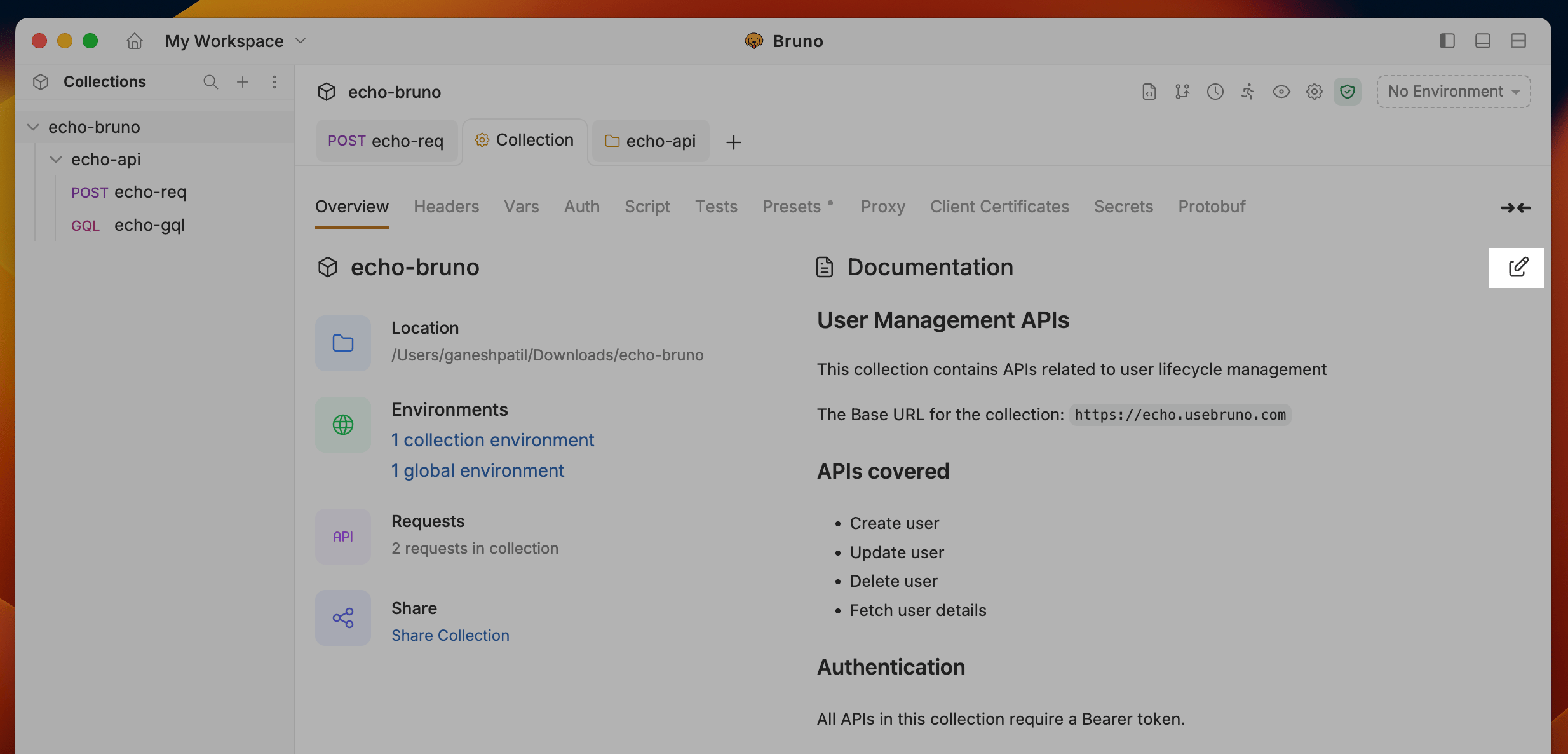
1. Go to the **Collection** settings.
2. Click on the **Edit** icon on the right-hand side.
<img src="https://mintcdn.com/bruno-a6972042-docs-restructure-by-product/CL0Nl-icb8ywVYgg/images/screenshots/send-request/api-docs/collection-preview.webp?fit=max&auto=format&n=CL0Nl-icb8ywVYgg&q=85&s=427db523f6978b15020ddd1f23f6c6cf" alt="collection-preview" width="2468" height="1186" data-path="images/screenshots/send-request/api-docs/collection-preview.webp" />

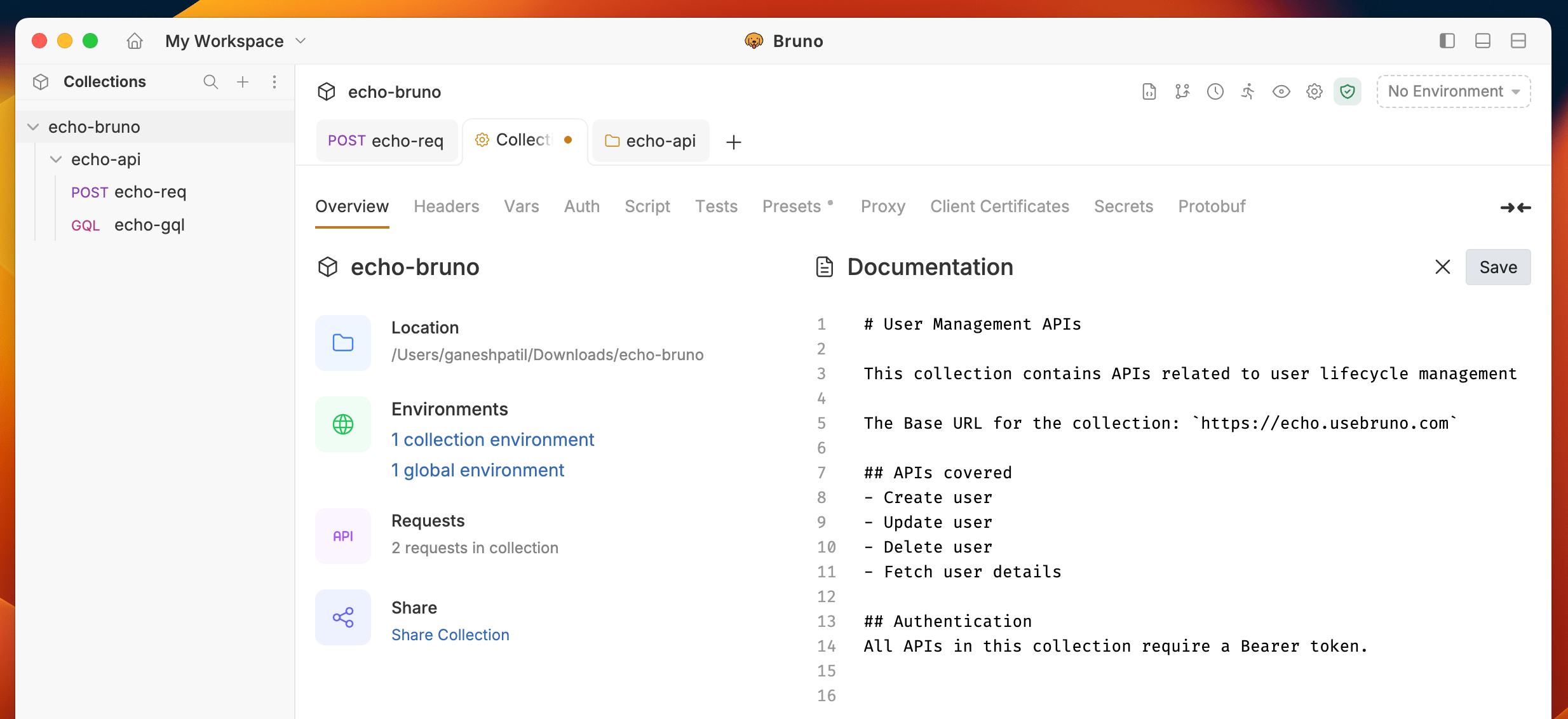
3. Click the **Save** button to view the formatted output.
<img src="https://mintcdn.com/bruno-a6972042-docs-restructure-by-product/CL0Nl-icb8ywVYgg/images/screenshots/send-request/api-docs/formatted-output.webp?fit=max&auto=format&n=CL0Nl-icb8ywVYgg&q=85&s=1c1900615d9e265ff6dc6497def024a3" alt="collection-preview" width="2468" height="1132" data-path="images/screenshots/send-request/api-docs/formatted-output.webp" />

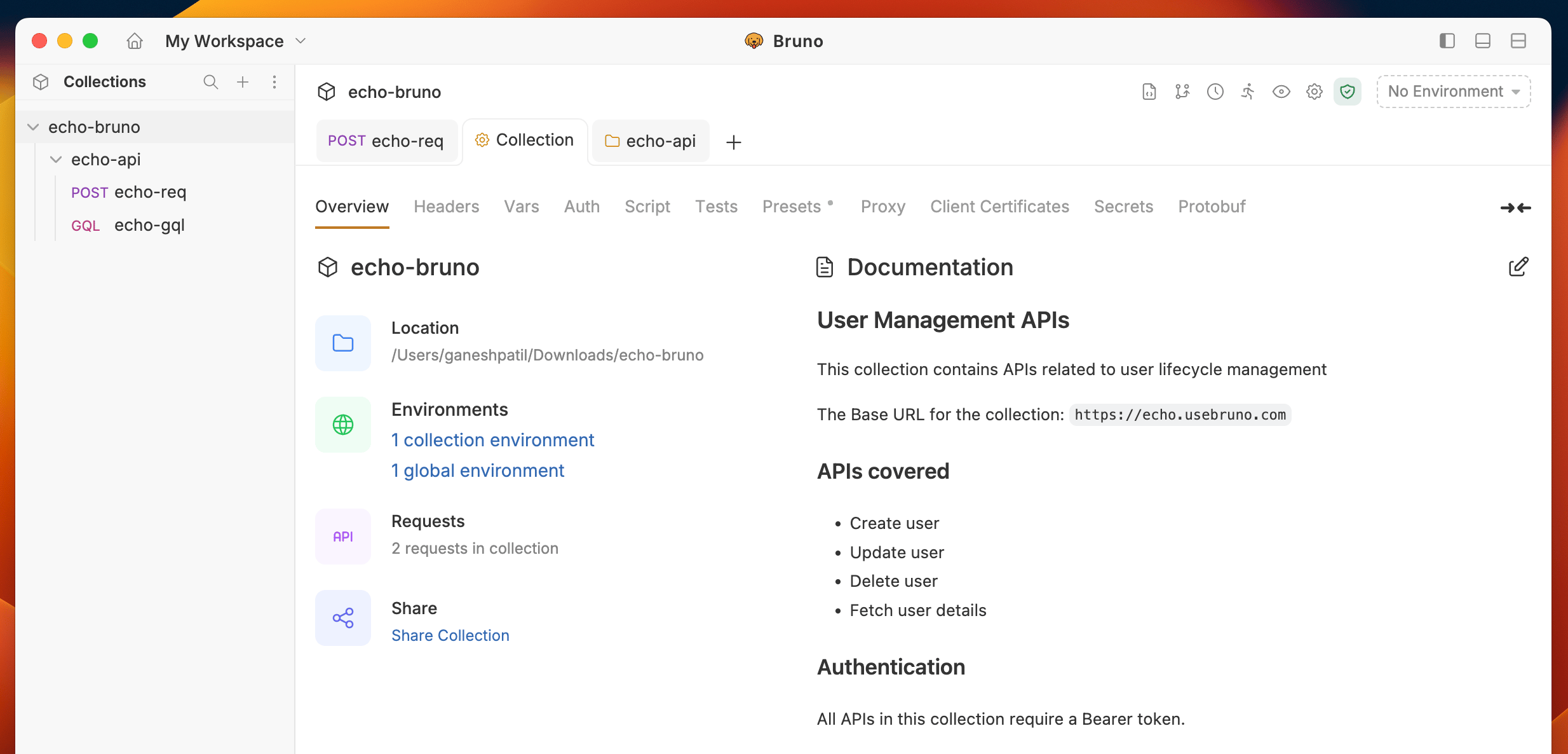
4. Formatted Preview for Collection Documentation.
<img src="https://mintcdn.com/bruno-a6972042-docs-restructure-by-product/CL0Nl-icb8ywVYgg/images/screenshots/send-request/api-docs/collection-format-output.webp?fit=max&auto=format&n=CL0Nl-icb8ywVYgg&q=85&s=5848e3b242034568e3246e1039395d27" alt="collection-" width="2468" height="1186" data-path="images/screenshots/send-request/api-docs/collection-format-output.webp" />
